


NurseBrain: Smart Report Sheet
4.522.00 Reviews
App Specs
- Version
- 3.7.292
- Updated On
- License
- Free
- Downloads
- 10,000+
- Developer
- Nurse Brainer Inc
- Categories
- Medical
- Platform
- Android
Screenshots
 Analysis by AppCompare
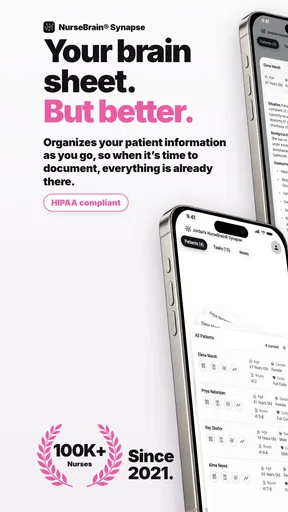
Ever wished you had a personal assistant to help you manage the chaos of your nursing shifts? Well, let me introduce you to NurseBrain: Smart Report Sheet, the app that promises to be the brainy sidekick you never knew you needed. I’ve spent some quality time with this app, and here’s the lowdown.
First Impressions
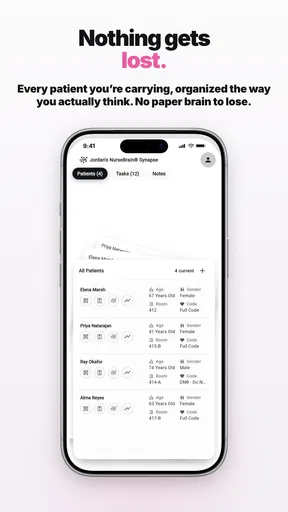
From the get-go, NurseBrain: Smart Report Sheet strikes you with its clean design and user-friendly interface. It’s like the developers knew exactly what nurses needed and delivered it on a silver platter. The app’s layout is intuitive, and even the least tech-savvy among us would find it easy to navigate. No more fumbling around trying to find features; everything is right where you expect it to be.
Features that Impress
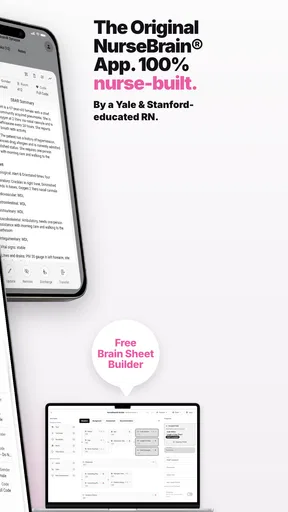
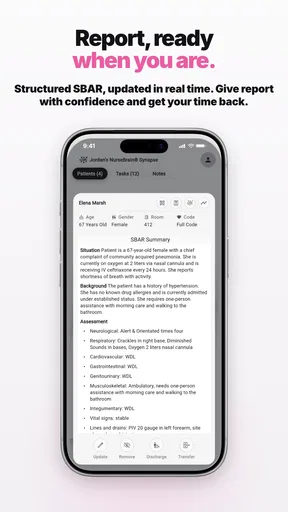
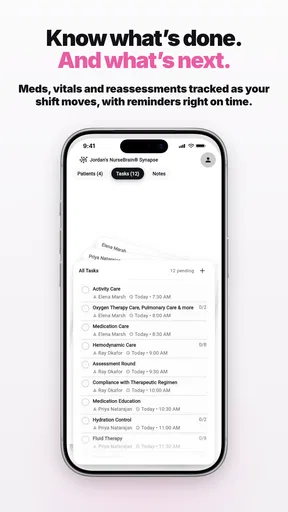
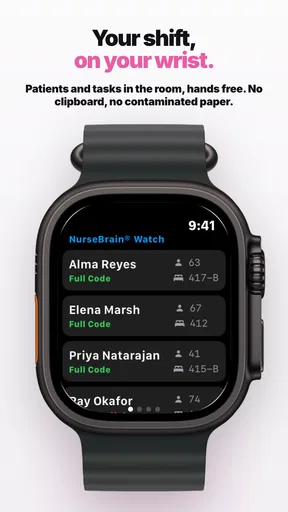
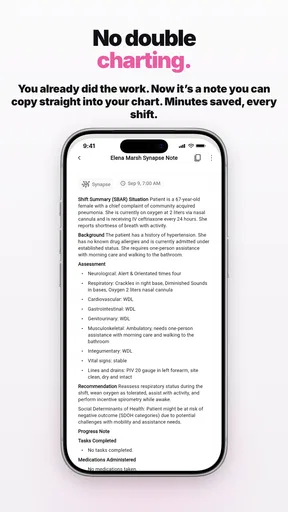
Let’s dive into the features because this is where NurseBrain really shines. The app is essentially a digital report sheet, but calling it just that would be doing it a disservice. It offers a comprehensive patient management system that lets you track patient details, vitals, and medications effortlessly. You can customize your report sheets, which means goodbye to the clutter of unnecessary information and hello to streamlined data that's relevant to your shift.
One feature that I found particularly genius is the automatic calculations. The app can calculate dosage, conversion rates, and even some basic lab interpretations. This is a huge time-saver, especially during those hectic shifts where every second counts. It’s like having a calculator embedded in your brain!
Seamless Communication
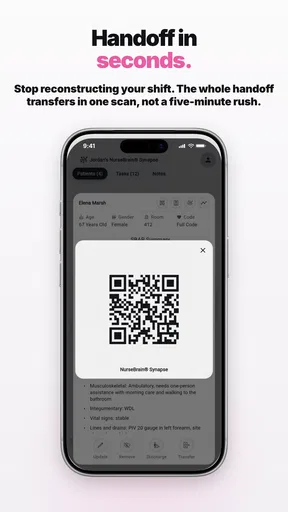
Another standout aspect is the app’s communication tools. You can easily share reports with your team or hand them off during shift changes. The app ensures that information is clear, concise, and easily interpretable, reducing the chances of any miscommunication. It supports both text and voice notes, so you can choose what works best for you.
Customizability and Flexibility
I love that NurseBrain is highly customizable. You can tailor it to fit your specific needs, whether you’re working in ICU, pediatrics, or any other specialty. The app isn’t rigid, which means it grows with you as your requirements change. You can add or remove fields and adjust settings to match your workflow.
Security and Privacy
In healthcare, security and privacy are paramount, and NurseBrain doesn’t skimp in this department. The app uses advanced encryption methods to protect sensitive information. Plus, it’s compliant with HIPAA regulations, which means you can use it with peace of mind knowing that patient data is safe and secure.
Worth Reading Before You Choose

Flipboard Shows What News Apps Must Do Beyond the Feed

Switching to Android Auto Means Rethinking Your Driving Routine

Google Calendar Makes a Crowded Week Easier to Manage

Ludo King Makes the Most of the Minutes Between Plans

Baby Panda World Brings Quick Play to Modern Phones, but Its Game Library Feels Busy

ESPN’s Live Game View Makes Following Close Games Easier
Room for Improvement
No app is perfect, and while NurseBrain does a lot right, there are a couple of areas that could use a little tweaking. The app sometimes lags when loading large amounts of data, which can be a bit frustrating during busy shifts. Additionally, while the app is quite intuitive, a more detailed tutorial could help new users get up to speed faster.
Final Thoughts
All things considered, NurseBrain: Smart Report Sheet is a valuable tool for any nurse looking to streamline their workflow and improve patient care. It’s packed with features that make it easier to manage patient information, communicate with colleagues, and ensure nothing slips through the cracks. If you’re juggling a million things at once and need a reliable app to help you stay on top of it all, NurseBrain is definitely worth a try. Just be ready for it to become an indispensable part of your daily routine!
Pros
- Intuitive interface for quick note-taking.
- Customizable templates for various needs.
- Seamless integration with other healthcare apps.
- Offline access for uninterrupted use.
- Secure data protection with encryption.
Cons
- Limited to English language only.
- Requires subscription for full features.
- Occasional sync issues reported.
- No support for older devices.
- Lacks detailed tutorials for beginners.
FAQs for NurseBrain: Smart Report Sheet
What features does NurseBrain offer to help nurses manage their tasks?
NurseBrain provides a comprehensive suite of features designed to streamline a nurse's workflow. It includes smart report sheets, medication reminders, patient data management, and task prioritization tools. The app offers customizable templates to suit various needs, ensuring that nurses can efficiently manage their daily responsibilities with minimal hassle.
Is NurseBrain compatible with both Android and iOS devices?
Yes, NurseBrain is available for both Android and iOS platforms, making it accessible to a wide range of users. The app is designed to function seamlessly across different devices, ensuring that nurses can utilize its features whether they are using a smartphone or a tablet, enhancing their mobility and accessibility.
How does NurseBrain handle patient data security and privacy?
NurseBrain takes patient data security and privacy very seriously. The app employs advanced encryption protocols to safeguard sensitive information, ensuring compliance with healthcare regulations. User data is stored securely, and access is restricted to authorized personnel, providing peace of mind for both nurses and patients regarding their confidential information.
Can NurseBrain be integrated with hospital systems or electronic health records (EHR)?
NurseBrain is designed to be compatible with various hospital systems and electronic health records (EHR). It offers integration capabilities that allow seamless data exchange, reducing the need for manual entries and minimizing errors. This feature enhances operational efficiency and ensures that nurses have real-time access to critical patient information.
Is there a cost involved in using NurseBrain, and are there any subscription options?
NurseBrain offers a range of pricing options, including a free version with basic features and premium subscription plans that unlock additional functionalities. The premium plans are designed to cater to different needs and budgets, providing more advanced tools for those who require them. Users can choose the plan that best suits their requirements, ensuring flexibility and affordability.


